Create an account & sign in
Four short steps, right inside the app.
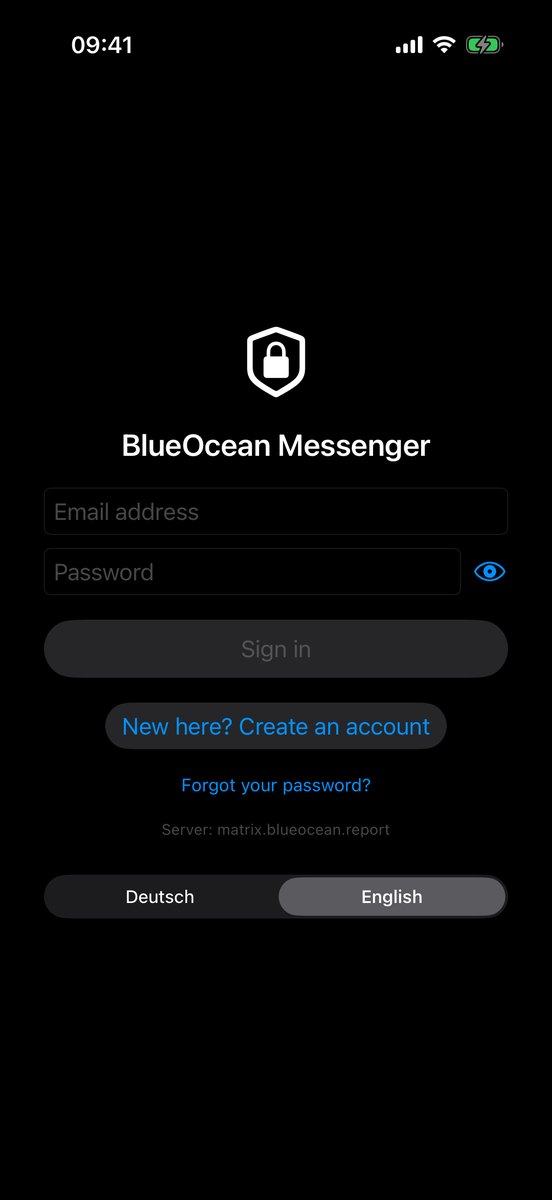
Download the app
iPhone: straight from the App Store.

Android: straight from Google Play, or as an APK without a store — with the signature fingerprint to check.
Create an account
Tap "Create an account" and go through four short steps:
- Enter your email address. It becomes your sign-in name — you don't need a phone number.
- Type the confirmation code. It arrives by email — check your spam folder if needed.
- Secure your spot. If a place is free right now, you pay for the subscription here (€8.99/month, 3 days free, cancel any month). If not, you join the waiting list.
- Choose a password and accept three documents (terms of use, privacy policy, code of conduct). Your password goes straight to the messenger server — we never get to see it.
If you came via an invitation (a link or an email from an existing account), step 3 is skipped automatically: your spot is already reserved.
If the terms of use, privacy policy or code of conduct change later, Orbit asks you once the next time you open it, with the same three checkboxes. (Coming with the next update: iPhone 0.9.3, Android 0.9.4.)
Sign in
With your email address or the short name you chose when registering, plus your password. You stay signed in when you close the app — no need to sign in again every time you start it.
Forgot your password? The sign-in screen has its own way to reset it, without anyone at our end learning your old password — it never reaches us in the first place.
Confirming a second device
When you sign in on another device, the app asks for your recovery key — a one-time code shown when you first set up your account. More on that under Settings & security.