Family
One subscription for up to six people: whoever has the subscription invites up to five people from the family. Their places cost nothing extra.


How to set up your family
- You need a subscription of your own. Whoever has a subscription starts a family.
- Open Settings and, in the section Subscription, tap Family.
- Type the person's email address into the field and tap Invite. The invitation is valid for 30 days.
The page shows you who is in and how many places are still free. An invitation that has not been accepted yet, you can get back with Take back.
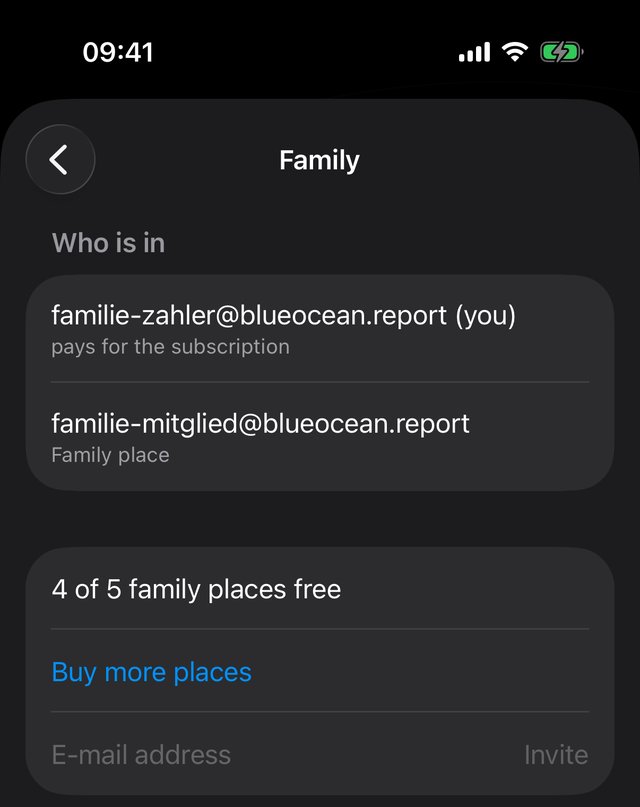
iPhone
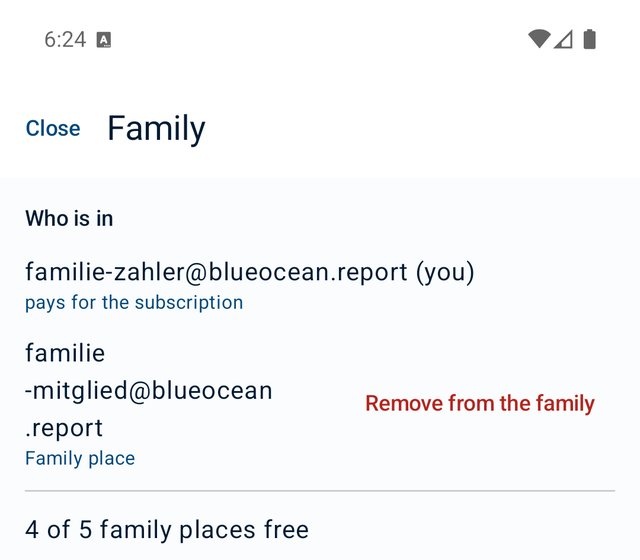
Android
Accepting the invitation
Whoever is invited downloads the app, creates an account with the same email address and opens the app. Above the list of conversations it then says: "… invites you into the family." One tap on Accept — done.
The family room
A shared room for the whole family appears by itself as soon as someone from the family opens the app. You can spot it by the small house on its picture. Whoever joins is in. Whoever leaves is out.
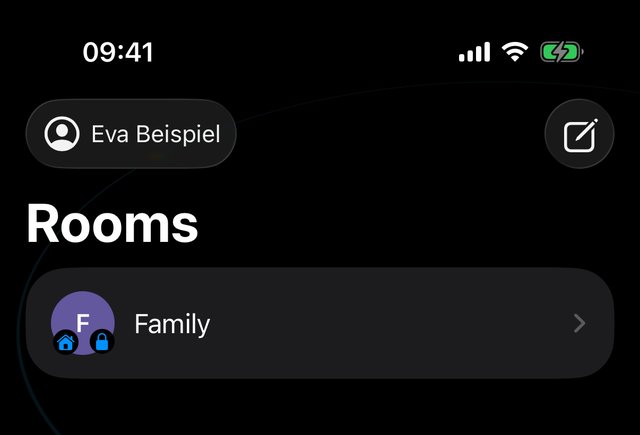
iPhone
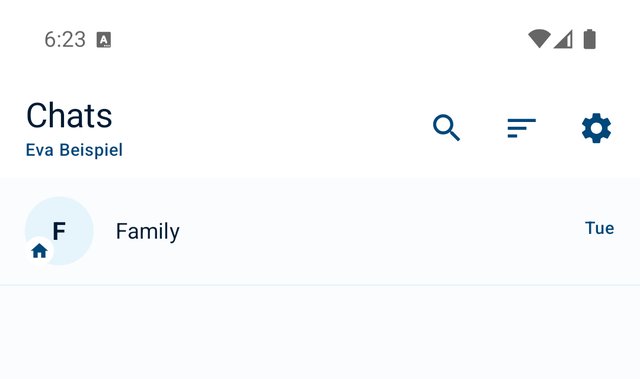
Android
What a family place can do
With a family place you write and call with your family. For everyone else you need a subscription of your own. You can keep reading conversations with others; above the text field it then says "Family place — writes within the family" with the button Own subscription.
Whoever already has a subscription of their own may still join the family. They then do not use up any of the five places.
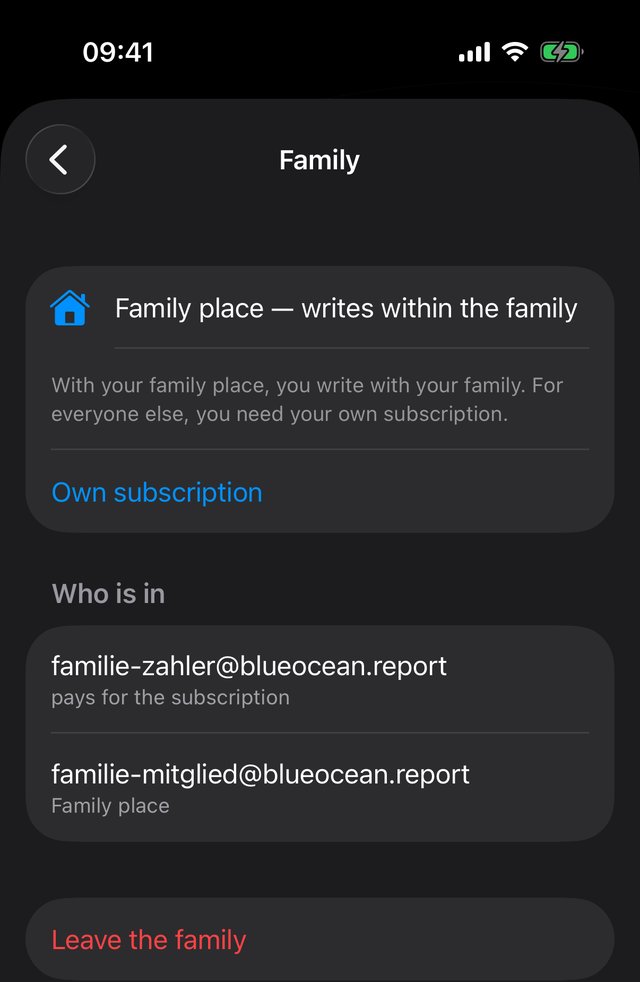
iPhone
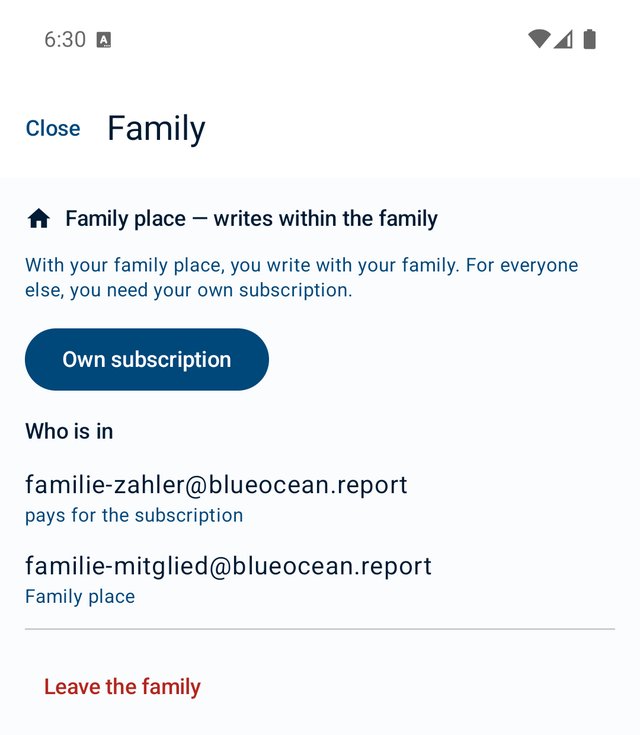
Android
Nobody reads along
Everyone has their own account. The messages are encrypted on the devices. We cannot read them — and whoever pays, parents included, sees no conversations they are not in themselves.
Teenagers from 13 join through the family, with the parents' consent. The rules are in our Terms of use (sections 8b to 8d).
Removing someone or leaving yourself
Whoever pays taps Remove from the family next to the person (on the iPhone: swipe left in the list). The app asks first, because without a subscription of their own that person can no longer write afterwards.
With a family place you leave yourself with Leave the family at the bottom of the Family page.
More than five: buy more places
New in version 0.8.6. On the Family page you tap Buy more places. One place costs €11.90 (price in Germany) and is valid for 12 months from the purchase. It does not renew by itself.
- On the iPhone you choose the number in the purchase sheet — 1 to 10 places at once — and tap Buy now. On Android you choose the number in Google's purchase dialog.
- After that the Family page says "Bought: … — valid until …", and the number of free places goes up.
- You can buy more places as long as your own subscription is running.
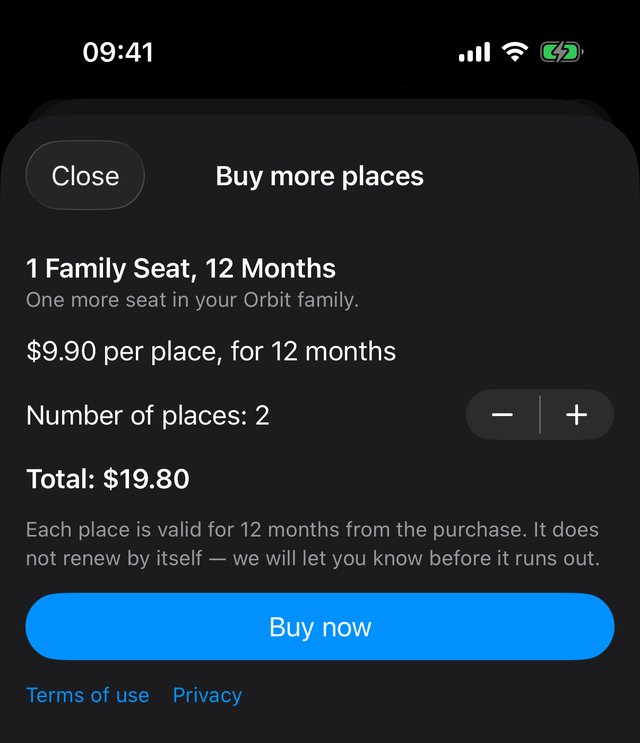
Before bought places run out
We tell you in good time: at the top of the Family page, with the button Renew now. If someone would no longer be able to write after that, you also get an email — 14, 7 and 1 day before and on the day it runs out.
If you do not buy again, the places that were added last are paused. Whoever is on such a place sees "Your family place has expired". Reading still works. Writing works again as soon as new family places are bought — or with a subscription of their own.
iPhone with Family Sharing
Whoever buys from Apple and uses Family Sharing can also share the subscription that way. You confirm in the app who belongs: the person who pays invites you into the family in Orbit.
Still have a question?
Write to us at [email protected].